Bring your recording
Pick a gaming recording saved on your PC, such as an MP4 or MKV. Your original file is never changed.
START WITH A LOCAL FILEFind the moments worth keeping. Turn long gaming recordings into vertical clips, with the final cut in your hands.
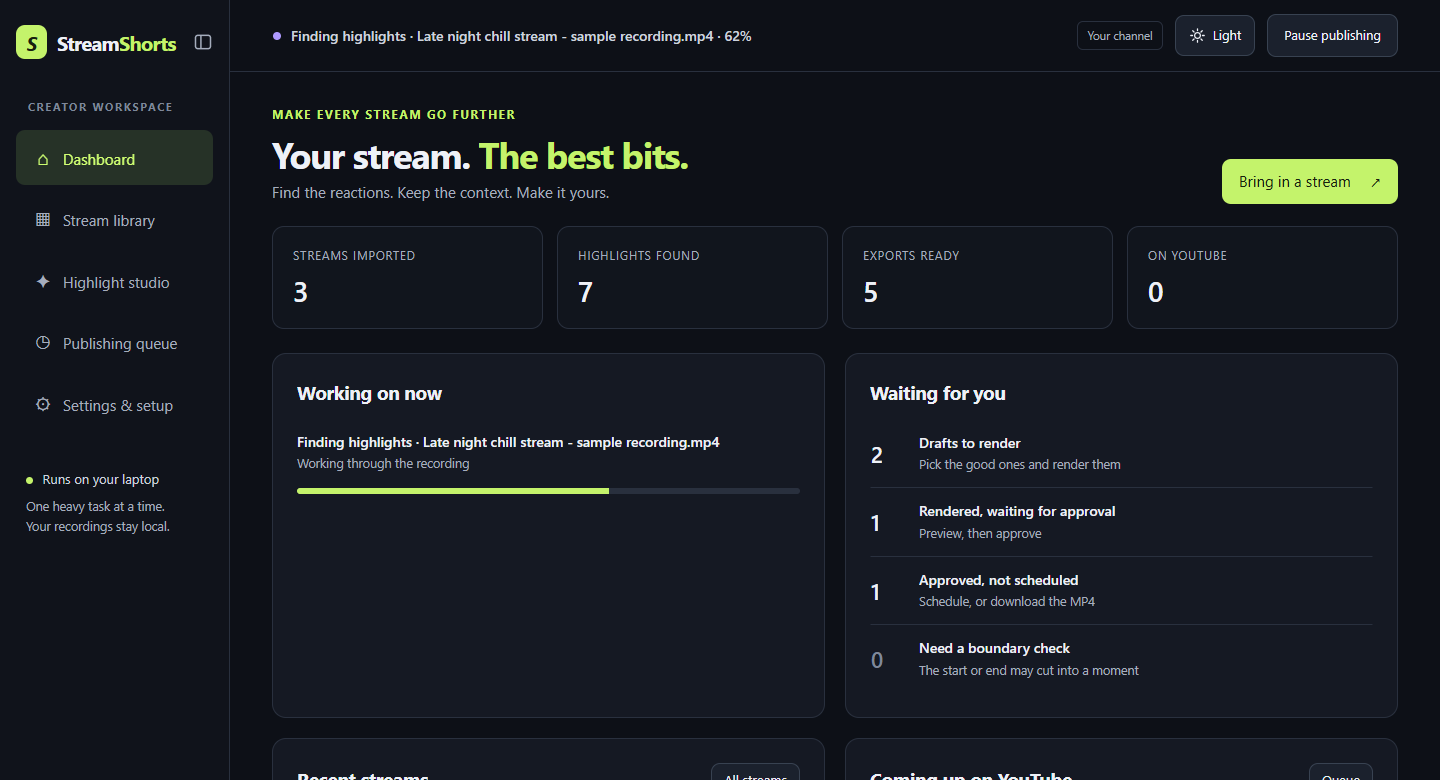
You bring the recording. StreamShorts helps you find the moments and get them ready to post.
Pick a gaming recording saved on your PC, such as an MP4 or MKV. Your original file is never changed.
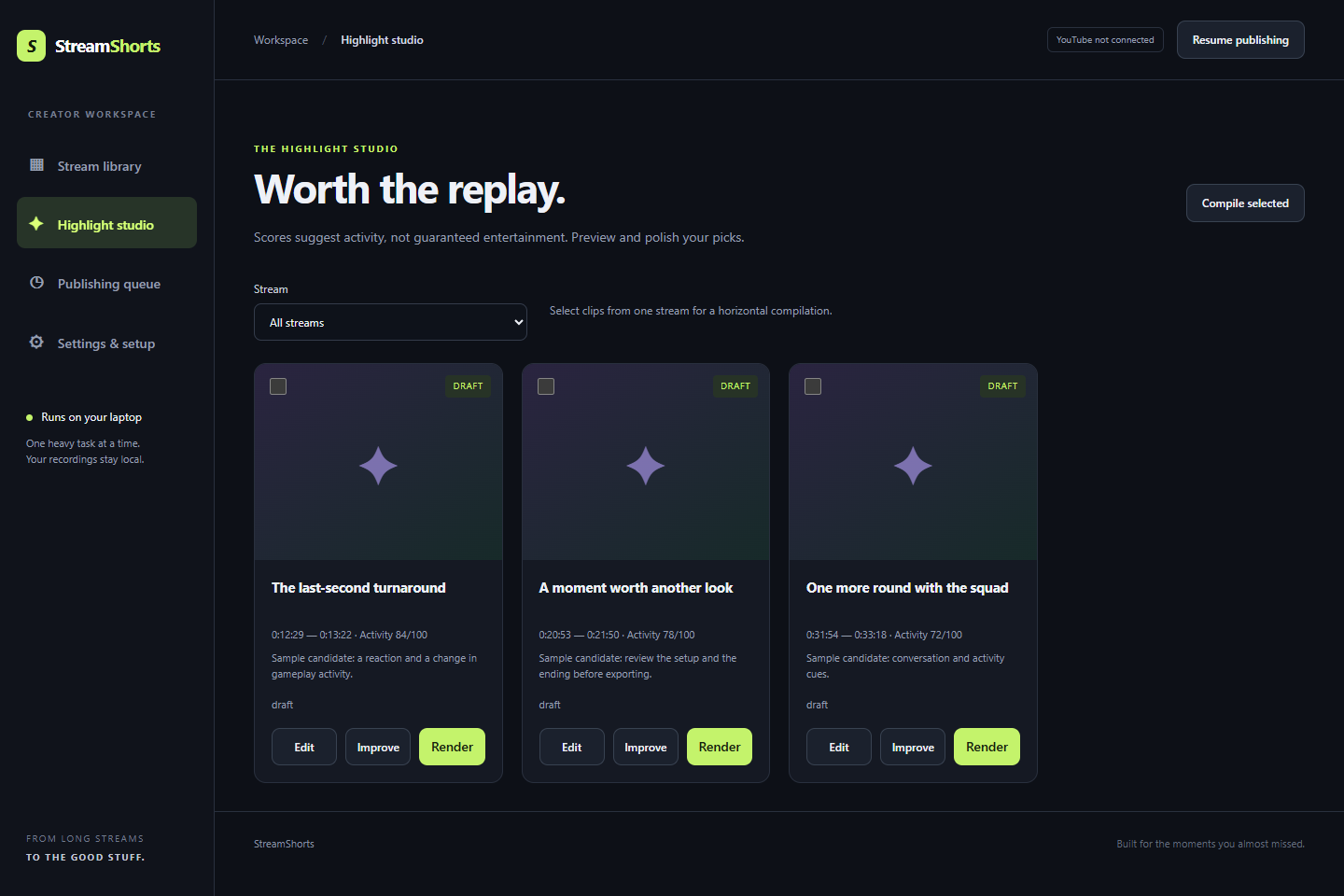
START WITH A LOCAL FILEStreamShorts suggests moments worth a closer look. Preview each one and keep only the clips you like.
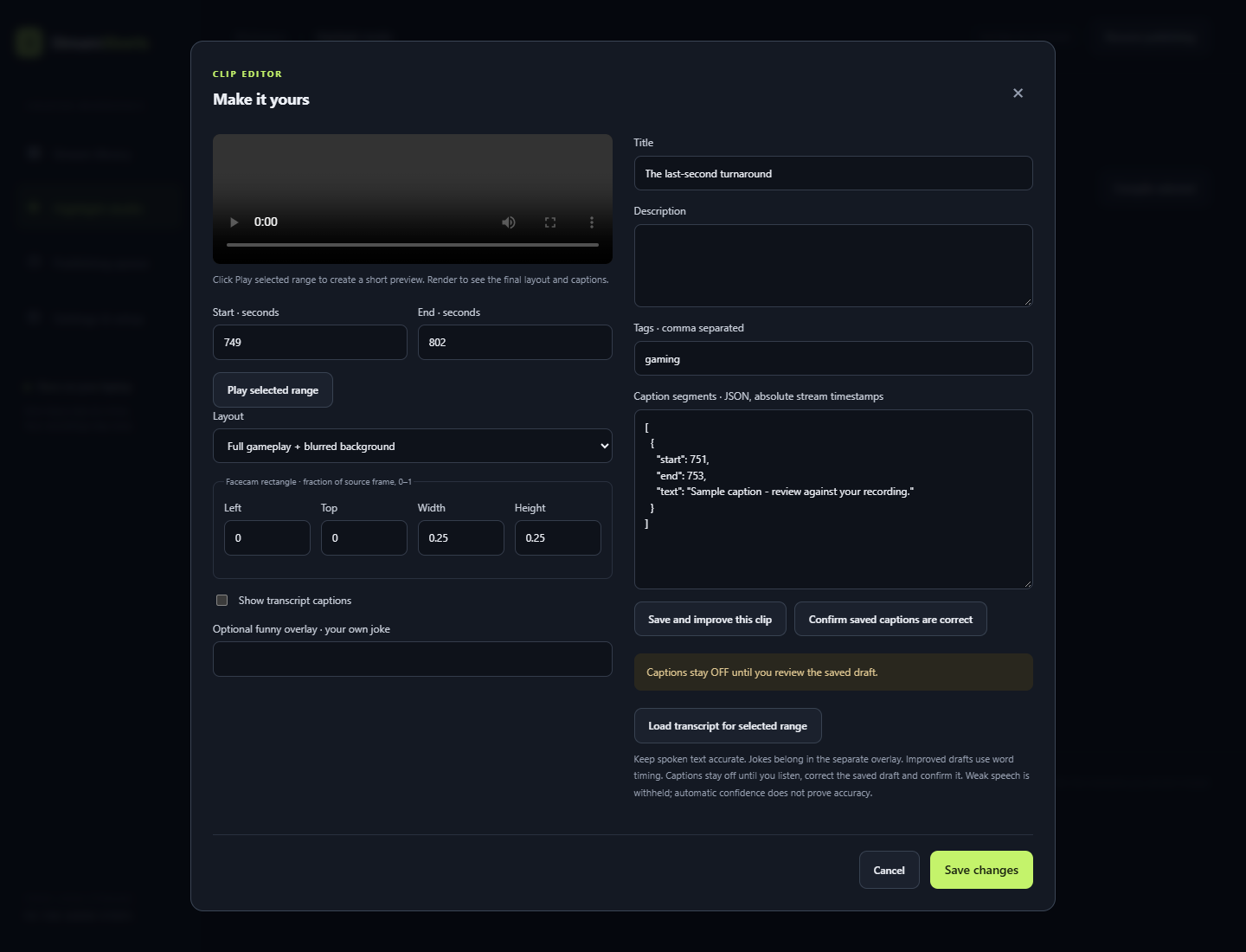
YOU MAKE THE FINAL CUTFine-tune the start and end, then choose a vertical layout: full gameplay, centre crop or facecam on top.
9:16 · 1080 × 1920Check the caption draft and edit the title, description and tags. Captions only appear once you confirm them.
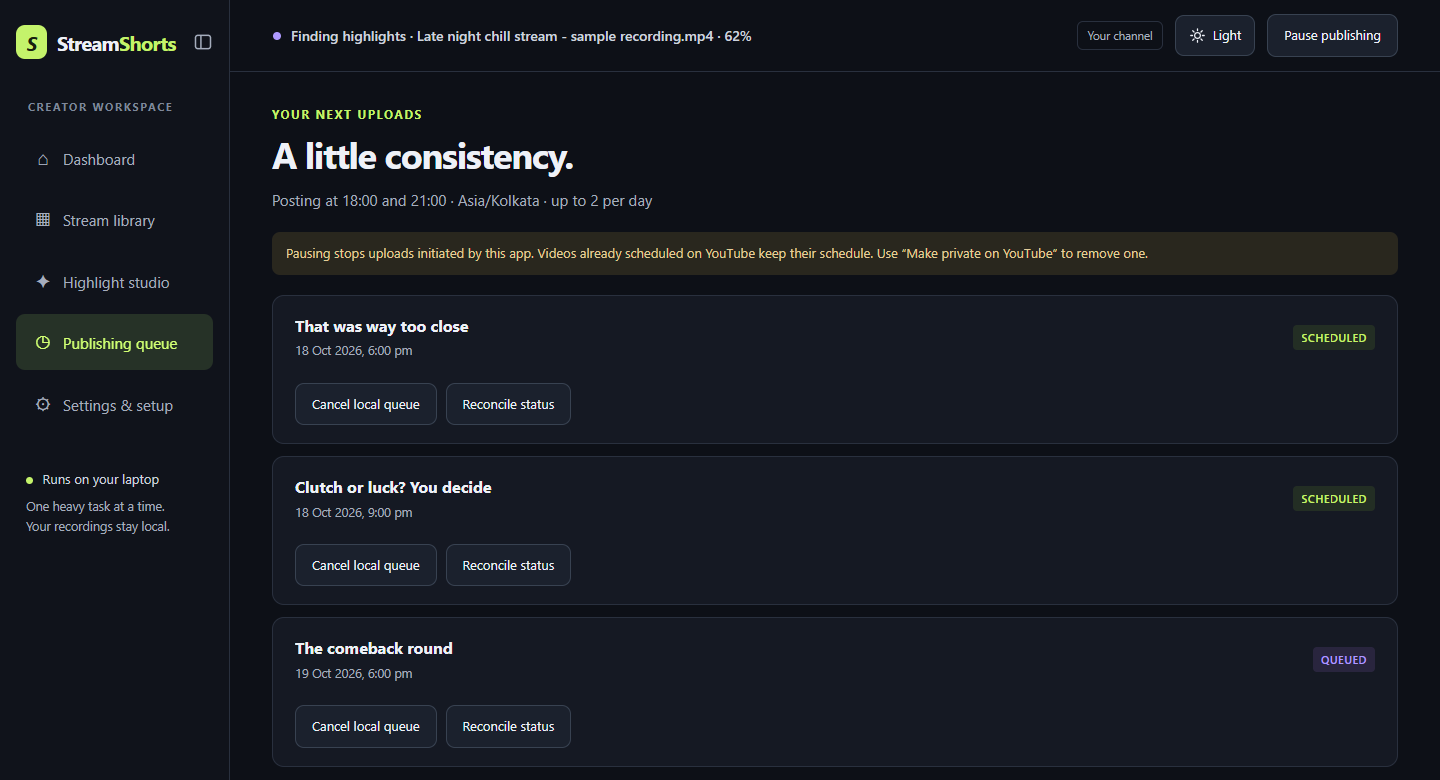
REVIEW BEFORE EXPORTDownload the finished MP4, or connect your channel and schedule it on YouTube.
CHANNEL CONNECTION OPTIONALSuggested clips, editable boundaries and caption review, together in one local dashboard.
Get quicker suggestions or a more careful look through the recording, depending on how much time you have.
Generate multilingual drafts, including Hindi, Punjabi and English. Captions stay off until you review and confirm the words.
Use a full gameplay view, a center crop or a facecam layout. Edit titles, descriptions, tags and optional text overlays.
For gaming creators, including Hindi and Punjabi streamers, who have hours of recordings and want Shorts without spending the night editing.
Videos are processed on your own computer and never uploaded for editing. The app needs an internet connection to run.
You preview and approve every clip before it is scheduled, and captions stay off until you confirm the words.
Export vertical Shorts, or combine 2 to 20 highlights from one stream into a horizontal compilation video.
Caption drafts for English, Hindi, Punjabi and mixed speech, ready for you to check and correct.
Set your posting times, a daily limit and the gap between uploads. Pause publishing whenever you like.
Progress is saved as you go, so you can close the app and continue later without starting over.
StreamShorts uses YouTube API Services for an optional channel connection, uploads and scheduling. Google handles sign-in; the app never asks for your Google password.
Public API publishing depends on your project's YouTube eligibility. Uploads from an unaudited project are restricted to private. You can always export a file and upload it directly through YouTube Studio.
Read how channel access works ↗StreamShorts is being built and tested on real gaming streams. This is an honest snapshot, and plans can change.
No release date yet.
StreamShorts is a local Windows prototype by the StreamShorts Team. It is currently intended for the developer's personal use and development testing. A public SaaS service may be considered after further improvement; public sign-ups and paid subscriptions are not open.
Contact for review accessYour recordings stay on your computer and all processing happens locally; the app needs an internet connection to run. A dedicated graphics card is not required; speed depends on your hardware.
Review access is arranged individually. This site does not provide a hosted editor or collect Google credentials.
No. Suggestions are a starting point, not a verdict on what happened in your game. Quiet jokes can be missed and a candidate may need a longer ending. Review each edit before sharing.
Not in this version. You add recordings yourself. The desktop build also has a link import option, but YouTube authorization does not grant permission to download videos; use local originals or a source you are authorized to obtain.
Caption drafts support English, Hindi and Punjabi, including mixed speech. Writing Hindi and Punjabi in Roman letters is planned. Always check captions before using them; accuracy is not guaranteed.
Yes, as long as the recording is saved on your PC in a common format such as MP4 or MKV. OBS is not required; StreamShorts works with finished recording files.
There is no public release date yet. Review access is arranged individually by email.
No. Highlight discovery, editing, caption drafts and MP4 exports work without a channel connection. Optional publishing requires Google authorization and the applicable YouTube approvals.
Not currently. A paid editing service is being considered after personal testing. Any future price and usage limits will be published before checkout. Optional YouTube uploading is intended to be included at no additional charge.
The desktop app processes selected files on your computer. They are not sent to a hosted AI transcription service. If you authorize a YouTube upload, the selected export and its metadata are sent to YouTube. See the full privacy policy.